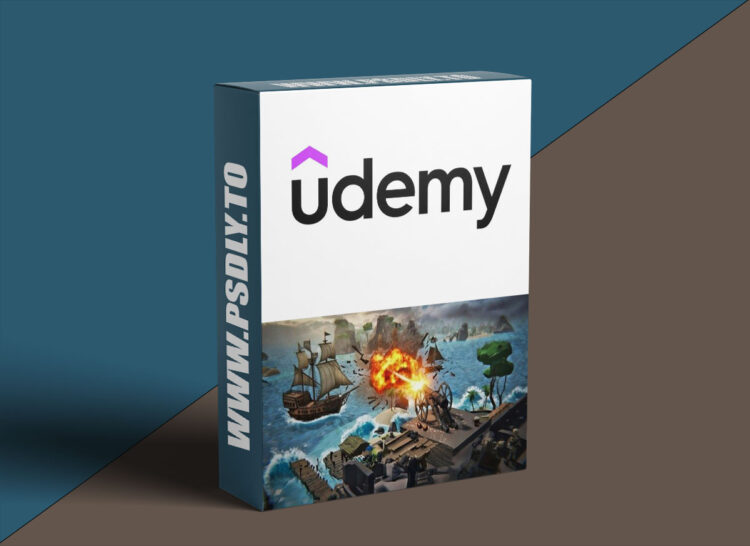
| File Name: | Learn to Create a Cannon Shooter Game in Unity 6 and C# |
| Content Source: | https://www.udemy.com/course/cannon-shooter-game-in-unity-6/ |
| Genre / Category: | Game Devolopment |
| File Size : | 12.6 GB |
| Publisher: | Zouhair Serrar |
| Updated and Published: | January 26, 2026 |
Sink Pirate Ships with C# & Unity 6. Build a Juicy Cannon Shooter from Scratch!
Ever dreamed of manning a cannon on a stormy sea, lining up your shot, and watching pirate ships explode in slow motion as they sink beneath the waves?
That’s exactly what we’re building in this course.
You’ll take full control of a powerful cannon and rain cannonballs on wave after wave of enemy pirate vessels sailing across the horizon. We’re talking satisfying explosions, dramatic slow-mo projectile cameras, predictive trajectory lines, smooth cannon aiming, juicy sound & visual effect feedback.
If you already know the basics of Unity and have been frustrated for a long time, struggling with the complexity of putting together a complete, polished game, with interesting gameplay, or if you are an intermediate or advanced Unity user tired of scattered prototypes where gameplay never seems to be fun enough, and you get lost in a mire of unmaintainable code, messy architecture, and all sorts of pitfalls, then this is the perfect course for you.
What you’ll actually create:
- A cannon with buttery-smooth rotation, recoil, firing effects, and proper ballistic physics
- Cannonballs that feel weighty and satisfying to launch
- A dramatic projectile-follow camera that slows down time for those perfect hits
- An optional trajectory prediction line so players can line up trick shots (great for an easy mode)
- Pirate ships that follow smart curved paths across the sea
- A flexible spawner system that controls enemy waves, difficulty ramp-up, and spawn timing
- Tons of polish: particle explosions, splash effects, ship sinking animations, audio cues, screen shake, multiple camera, slow-motion effect, everything that makes gameplay feel alive and rewarding
By the end, you’ll have a fun, standalone mini-game that looks and plays well. And you’ll walk away with practical, real-world techniques you can reuse in your own projects.
Let’s load the cannon! BOOM!

DOWNLOAD LINK: Learn to Create a Cannon Shooter Game in Unity 6 and C#
Cannon_Shooter_Game_in_Unity_6.part01.rar – 1000.0 MB
Cannon_Shooter_Game_in_Unity_6.part02.rar – 1000.0 MB
Cannon_Shooter_Game_in_Unity_6.part03.rar – 1000.0 MB
Cannon_Shooter_Game_in_Unity_6.part04.rar – 1000.0 MB
Cannon_Shooter_Game_in_Unity_6.part05.rar – 1000.0 MB
Cannon_Shooter_Game_in_Unity_6.part06.rar – 1000.0 MB
Cannon_Shooter_Game_in_Unity_6.part07.rar – 1000.0 MB
Cannon_Shooter_Game_in_Unity_6.part08.rar – 1000.0 MB
Cannon_Shooter_Game_in_Unity_6.part09.rar – 1000.0 MB
Cannon_Shooter_Game_in_Unity_6.part10.rar – 1000.0 MB
Cannon_Shooter_Game_in_Unity_6.part11.rar – 1000.0 MB
Cannon_Shooter_Game_in_Unity_6.part12.rar – 1000.0 MB
Cannon_Shooter_Game_in_Unity_6.part13.rar – 603.5 MB
FILEAXA.COM – is our main file storage service. We host all files there. You can join the FILEAXA.COM premium service to access our all files without any limation and fast download speed.